CyberChef: fifteen tasks that would otherwise need a script
By Elias Lankinen11 min read
A recipe instead of a script
You are three coffees into an incident. A colleague pastes you a single line pulled out of a suspicious email attachment: aHR0cHM6Ly9ldmlsLmV4YW1wbGUvcGF5bG9hZA==. You recognise the shape of it, roughly. It is probably Base64. To turn it back into something readable, the reflex of a certain kind of engineer is to open a terminal and type echo '...' | base64 -d, or spin up a Python one-liner, or worse, paste it into a random website whose privacy policy you will never read.
There is a fourth option. You drop the string into a browser tab, drag one operation onto a workbench, and the answer appears before you lift your finger off the mouse: https://evil.example/payload. No script, no dependency install, no round trip to someone else's server.
That tab is CyberChef, and the "someone else's server" concern deserves an immediate answer, because it is the single most common misconception about the tool. CyberChef was built and released by GCHQ, Britain's signals-intelligence agency, which sounds like exactly the organisation you would not want to hand your data. But none of your input or your recipe configuration is ever sent to a web server: per the project's own documentation, "all processing is carried out within your browser, on your own computer." You can download the whole thing as a single HTML file and run it offline on an air-gapped machine. The intelligence agency's fingerprints are on the code, not on your data.
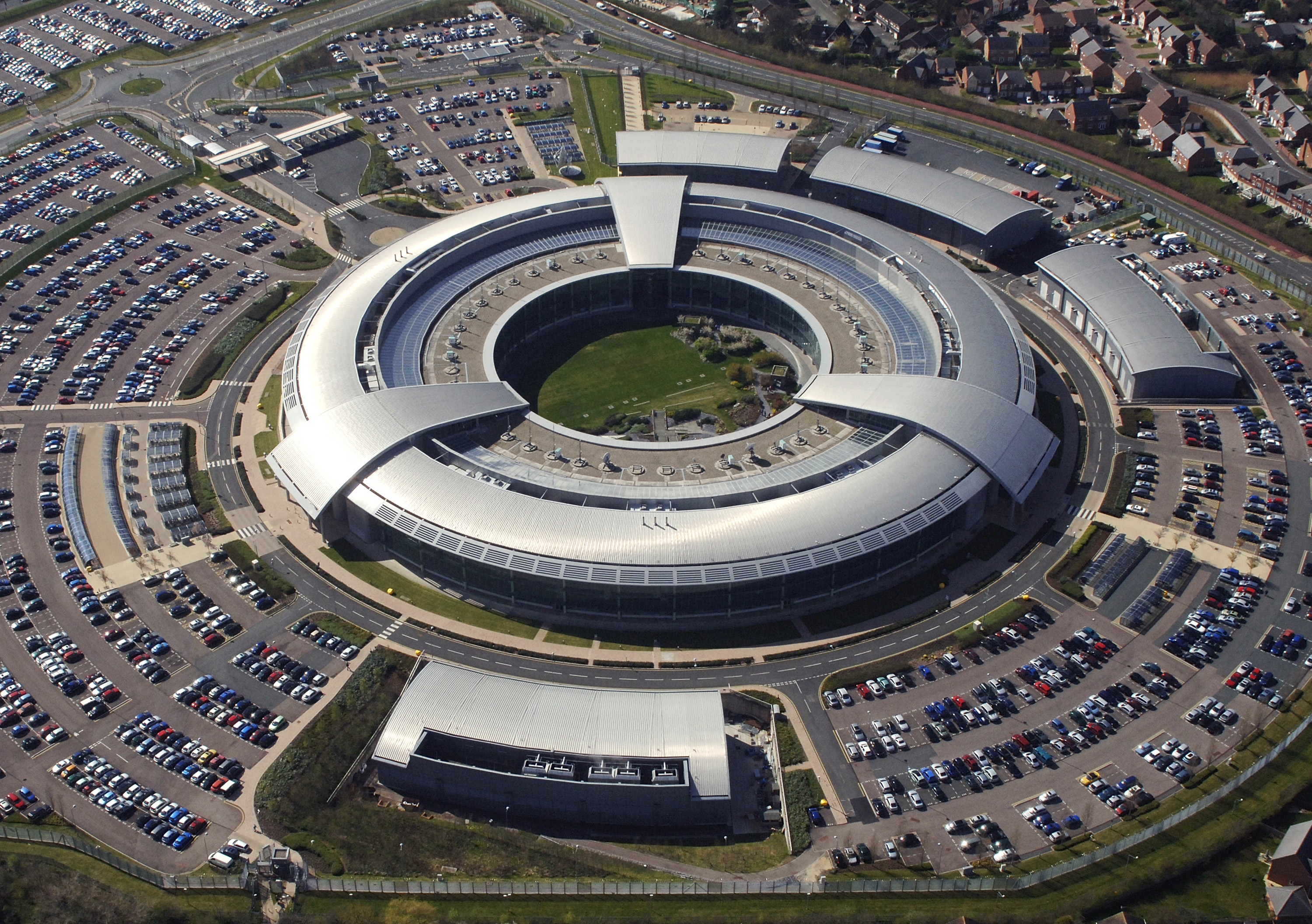

The origin story is unusually human for a spy agency. CyberChef was launched in late November 2016, conceived and built by a single GCHQ analyst in their "10% innovation time" over several years. The author was candid that they were not a professional developer and that the code had not been through formal peer review. It went out under the Apache 2.0 licence and Crown Copyright, which is why it now lives on GitHub with more than 35,000 stars and thousands of commits, and why Simon Willison could note in 2024, with some delight, that a signals-intelligence agency maintains a genuinely useful open-source project in public. What it actually is: a drag-and-drop workbench of more than 300 "operations" that you chain together into a "recipe." Data flows down the chain, each operation transforming the output of the one above, and the result "bakes" in real time as you build. What follows are fifteen concrete jobs that most people solve by writing throwaway code, and that CyberChef solves by stacking two or three blocks.
The everyday decodes
The first four are the bread and butter, the tasks that make people keep the tab pinned.
1. Base64 decoding. Base64 turns arbitrary binary into 64 printable ASCII characters, defined in RFC 4648, and it is everywhere: email attachments, data URIs, config files, malware droppers. The From Base64 operation reverses it. The genuinely useful part is nesting. Attackers routinely wrap payloads in several layers, Base64 inside URL-encoding inside more Base64. In CyberChef you just stack the operations and watch each layer peel away, rather than re-running a decode command by hand and copying the intermediate result each time.
2. URL decoding. Percent-encoding (%20 for a space, %2F for a slash) is how URLs smuggle reserved characters. URL Decode and its partner URL Encode flip between the two. It sounds trivial until you are staring at a 400-character encoded redirect chain in a phishing link and you want to see where it actually lands.
3. Hex, and the hexdump. From Hex and To Hex convert between raw bytes and their hexadecimal representation, and To Hexdump produces the classic three-column view, offset, hex bytes, and ASCII on the right, that anyone who has opened a binary will recognise. Pen Test Partners walks through how this makes CyberChef a lightweight substitute for a hex editor when you just need to eyeball the structure of a file rather than surgically edit it.

4. Decompression. A surprising amount of data on the wire is compressed and then encoded, so that what you receive is a Base64 blob that is really a gzip stream. Gunzip, Raw Inflate, and Zlib Inflate unwrap the common DEFLATE-based formats. A frequent recipe from the community collections runs a regular expression to isolate the Base64, then From Base64, then Raw Inflate, then a code-beautify step, turning an opaque string into readable script in one pass down the chain.
None of these is hard to script. The point is that you never have to. The recipe is right there, and because CyberChef encodes the entire recipe into the URL, you can paste that link to a colleague and they see exactly the same workbench, pre-loaded, ready to bake.
Tokens, timestamps, and fingerprints
The next three are where "I'll just write a script" quietly eats twenty minutes.
5. Decoding a JWT. A JSON Web Token, standardised in RFC 7519, is three Base64url segments separated by dots: a header, a payload of claims, and a signature. You could split on the dots and Base64-decode each part by hand, or you could drop JWT Decode on it and read the claims immediately. This matters for debugging authentication far more often than for anything adversarial. When a login flow is failing and the token's expiry claim is a Unix timestamp buried in the middle segment, you want it in seconds, not in guesses.
6. Converting timestamps. Which brings us to time, the format nobody agrees on. Unix epoch seconds, Unix milliseconds, and Windows FILETIME (100-nanosecond intervals since 1601) all show up in logs and forensic artefacts, and none of them is human-readable. From UNIX Timestamp and Windows Filetime to UNIX Timestamp do the arithmetic. A documented forensics recipe extracts a FILETIME value straight out of the bytes of an NTFS Master File Table entry, converts the byte range to hex, and turns it into a readable date, the kind of task that is genuinely fiddly in a shell because of endianness and the 1601 epoch offset.
7. Hashes and checksums. MD5, SHA1, SHA2, SHA3, and a long tail of checksums like CRC-32 are one operation each. Paste a suspicious string, get its hash, look it up against a threat-intelligence feed. Or verify that a downloaded file's SHA-256 matches what the vendor published. The value here is not that CyberChef computes hashes faster than sha256sum, it is that the input, the hash, and any surrounding decoding steps all live in one visible pipeline you can adjust and re-bake.
With a key, and without one
Encoding is reversible by anyone. Encryption is supposed to need a secret. CyberChef handles both cases, including the case where you do not have the secret yet.

_-_Museo_scienza_e_tecnologia_Milano.jpg)
8. Decrypting with a known key. CyberChef ships real cipher operations: AES Decrypt, DES and Triple DES, Blowfish, RC4, RSA, and more, among the operations GCHQ highlighted at launch. If you have recovered a key and an initialisation vector from a piece of malware or a config file, you can plug them in, choose the mode (CBC, GCM, and so on), and decrypt the ciphertext without touching OpenSSL's notoriously unforgiving command-line flags. Getting AES-GCM parameters right in a one-off script is exactly the sort of thing that costs you three failed attempts and a Stack Overflow tab.
9. XOR, and brute-forcing it. XOR is the workhorse of lazy obfuscation: cheap to apply, trivially reversible if you know the key. Often you do not. XOR Brute Force tries every single-byte key, 0 through 255, and shows you the plaintext candidates so you can spot the one that turns to readable strings. A community recipe uses a fixed single-byte XOR to unmask shellcode after Base64-decoding it. This is the moment where CyberChef stops being a convenience and becomes a small analysis engine, because eyeballing 256 candidate decodings is precisely what a human is good at and a blind script is not.
Finding the needles
Sometimes the job is not transforming the whole blob but pulling specific things out of it, safely.
10. Extracting and defanging indicators. Extract URLs, Extract IP Addresses, and Extract Domains sweep a mess of text for indicators of compromise. Then Defang URL rewrites http://evil.example as hxxp://evil[.]example so nobody in the thread accidentally clicks a live malware link. Pulsedive's walkthrough reconstructs a real case from the Balada Injector campaign: a Subsection operation isolates the interesting region, Extract URL and From Base64 decode the obfuscated destination, and Defang URL makes the result safe to paste into a report. That chain, built once, becomes a reusable link you hand to the next analyst.
11. Parsing an X.509 certificate. TLS certificates are DER-encoded ASN.1, which is to say a binary format almost nobody can read by eye. Parse X.509 Certificate expands one into its human-readable fields: issuer, subject, validity dates, serial number, the public key, the extensions. When you are investigating a suspicious host and want to know who really signed its certificate and when it expires, this is one operation instead of an openssl x509 -text -noout invocation whose flags you will look up yet again.
12. Pulling metadata out of an image. Extract EXIF reads the metadata block that cameras and phones bake into JPEGs, including, when present, GPS coordinates. A well-known recipe chains Extract EXIF with a regular expression to grab the latitude and longitude and a find-and-replace to build a Google Maps link, so a photo becomes a pin on a map. The same capability is a privacy lesson: the location data you did not know you were sharing is one drag-and-drop away for anyone who receives your picture.
Letting statistics do the work
The two tasks here are less about reversing a known transformation and more about characterising unknown data.
13. Entropy analysis. Shannon entropy measures, in bits per byte, how unpredictable data is. As CyberChef's own entropy guidance explains, ordinary English text lands somewhere between roughly 3.5 and 5, while the theoretical maximum is 8, meaning effectively random. The Entropy operation computes this and can plot it across a file, so a packed or encrypted region shows up as a plateau near 8 against a lower-entropy background. Analysts use a jump, say from 4.2 to 7.9 bits per byte, as a signal of encryption, which is one of the fingerprints of ransomware activity.
Here is the honest caveat, and it is one that a lot of tutorials skip: high entropy cannot tell encryption apart from compression. Both flatten the byte-frequency distribution toward uniform, and both sit above 7.5. Entropy narrows the question to "this region is one of those two things"; it does not answer it. You still need other evidence, magic bytes, structure, context, to decide which. Flattening that nuance into "high entropy means encrypted" is how people talk themselves into wrong conclusions.


14. Format conversion. The unglamorous connective tissue of most data work. JSON to CSV, CSV to JSON, JSON Beautify, To Table, and the YAML and XML converters move data between the shapes different tools demand. One documented use turns a CSV file into an HTML table ready to drop straight into a report. These are the conversions you would otherwise solve with a small pandas script or a jq incantation, and CyberChef's version has the advantage that you can see the input and output side by side and fix the one malformed row that breaks everything.
The Magic button
The final task is the one that feels like cheating, and it is the reason to leave the tab open even when you do not yet know what you are looking at.
15. Letting CyberChef guess. Introduced in version 8, the Magic operation tries to work out how your data is encoded and how to decode it, and CyberChef now runs it automatically in a background thread whenever the output changes. When it finds a promising path, a little wand icon appears that you can click to apply the whole recipe.
What is underneath the wand is genuinely clever. Magic pattern-matches your data against regular expressions for common schemes, Base64, hex, gzip, and for every match it speculatively executes the corresponding operation, then scores the result. It ranks candidate decodings by Shannon entropy, tests for valid UTF-8 structure, checks for file-format magic bytes, and runs a Pearson chi-squared goodness-of-fit test comparing the output's character frequencies against reference data drawn from English Wikipedia and dozens of other languages. Crucially, it recurses: a promising branch is fed back through the pattern matcher, so data buried under several layers of encoding gets unwrapped automatically, down to a depth you control. Turn on "Intensive" mode and it will additionally brute-force more than 40 character encodings, all 255 single-byte XOR keys, and a handful of bit rotations.
That is why the wand feels magical and why it is worth understanding that it is not: it is entropy, statistics, and brute force running speculatively so you do not have to guess. It also happily handles the long tail of esoteric formats, ROT13, From Morse Code, From Braille, From Base85, the sort of thing that turns up in capture-the-flag puzzles and the occasional real-world oddity, without you having to recognise them first.
The through-line across all fifteen is not that CyberChef does anything a script cannot. It is that the cost of starting collapses to nearly zero. There is no file to create, no interpreter to launch, no dependency to install, no environment to be wrong. The friction that makes you put off a five-minute task, or paste sensitive data into a sketchy website because it was faster, simply is not there. And because a recipe is just a URL, the thing you built once is the thing you send to the next person. The open question is what happens to tools like this as the browser keeps absorbing capabilities that used to require a toolchain, and as chat assistants offer to "just decode that for you" by shipping your data somewhere you cannot see. CyberChef's quiet answer, a decade in, is that the most trustworthy place to transform your data is the machine already in front of you, with the code open for anyone to read. The next time you reach for a throwaway script, it is worth asking whether the recipe already exists.
Sources
- GCHQ, CyberChef - the Cyber "Swiss Army Knife", 2016.
- Security Affairs, GCHQ presents CyberChef, an Open Source Data Analysis Tool, 2016.
- GCHQ / GitHub, gchq/CyberChef repository, accessed 2026.
- GCHQ / GitHub, Automatic detection of encoded data using CyberChef Magic (project wiki), accessed 2026.
- Simon Willison, gchq.github.io/CyberChef, 2024.
- Pulsedive, Tool Guide: CyberChef 101, accessed 2026.
- Pen Test Partners, Understanding Binary and Data Representation with CyberChef, accessed 2026.
- Matthew Bryant (mattnotmax), cyberchef-recipes, accessed 2026.
- CyberChef, Entropy Analysis Guide, accessed 2026.
- IETF, RFC 4648: The Base16, Base32, and Base64 Data Encodings, 2006.
- IETF, RFC 7519: JSON Web Token (JWT), 2015.